SheetJet
Batch publishing to PDF, DWG, DXF, DGN, DWF, IFC, NWC and images. Pro adds Excel schedules, revision filters, pre-flight checks and office profiles.
Free · 200 files/month Pro · unlimited
ReOs™ · Optimization System for Autodesk® Revit®
Revit, engineered to go faster. Publish, tag, align and check your models with 42 commands in one ribbon tab.
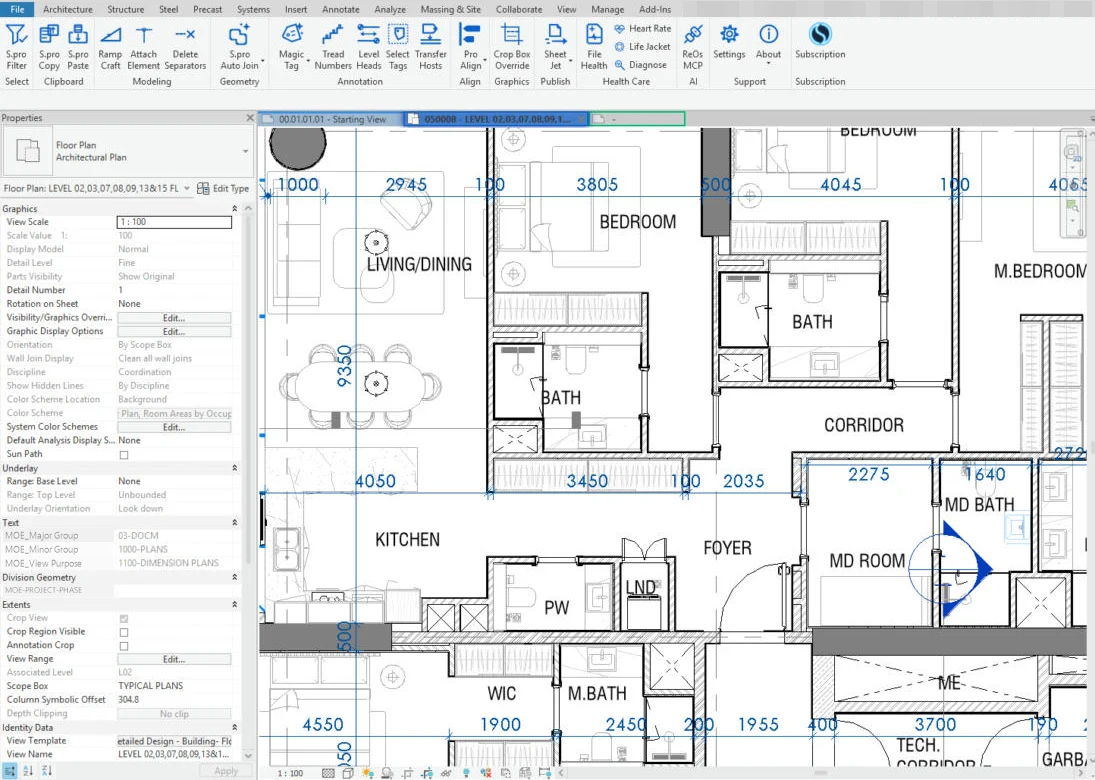
Why ReOs
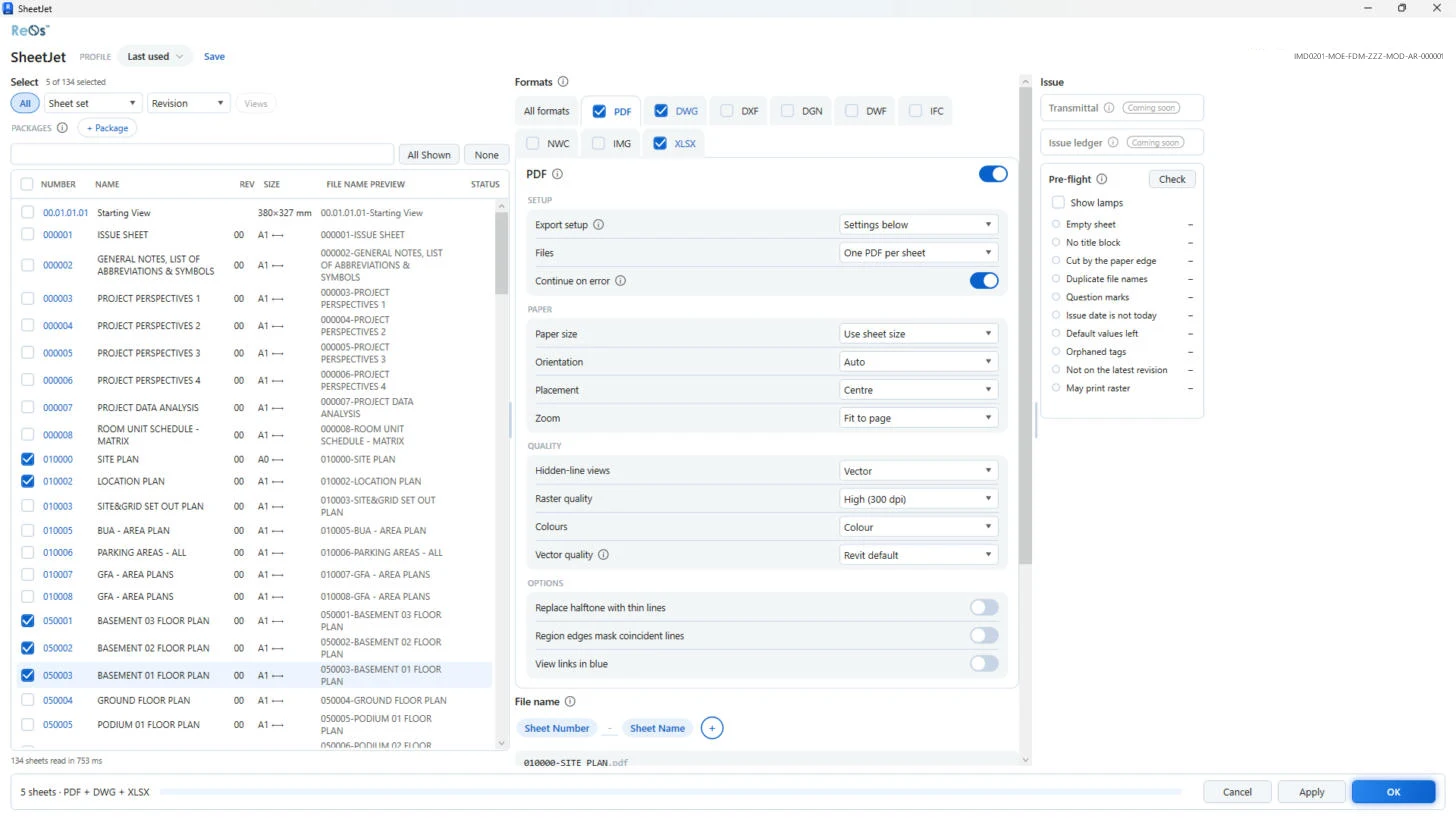
SheetJet exports your sheets to PDF, DWG, DXF, DGN, DWF, IFC, NWC and images in one batch. The Free plan includes 200 files a month; Pro is unlimited and adds office profiles.
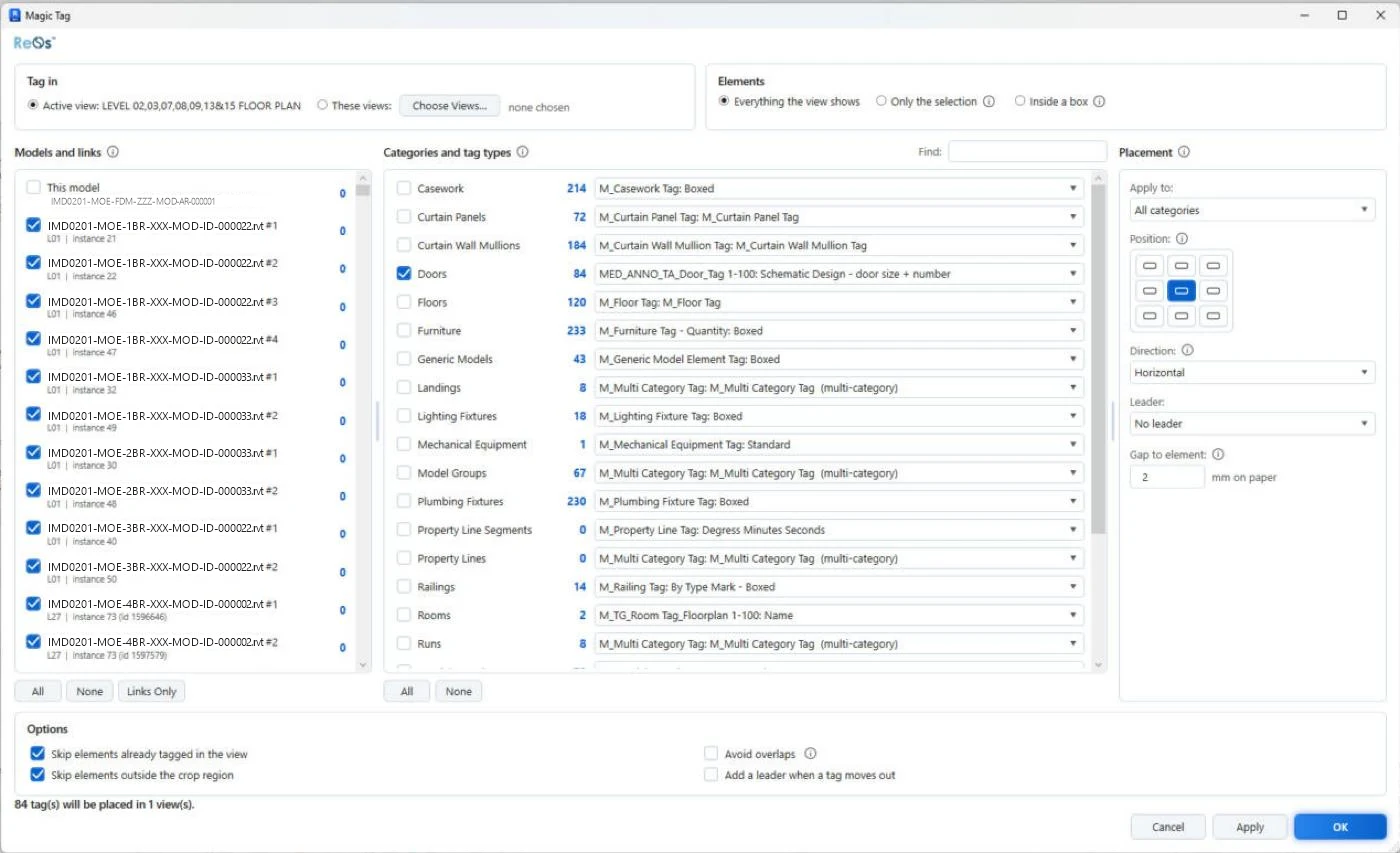
Magic Tag tags every category in a view, linked models included. Pro Align's 12 tools align, distribute and untangle tags and leaders in a few clicks.
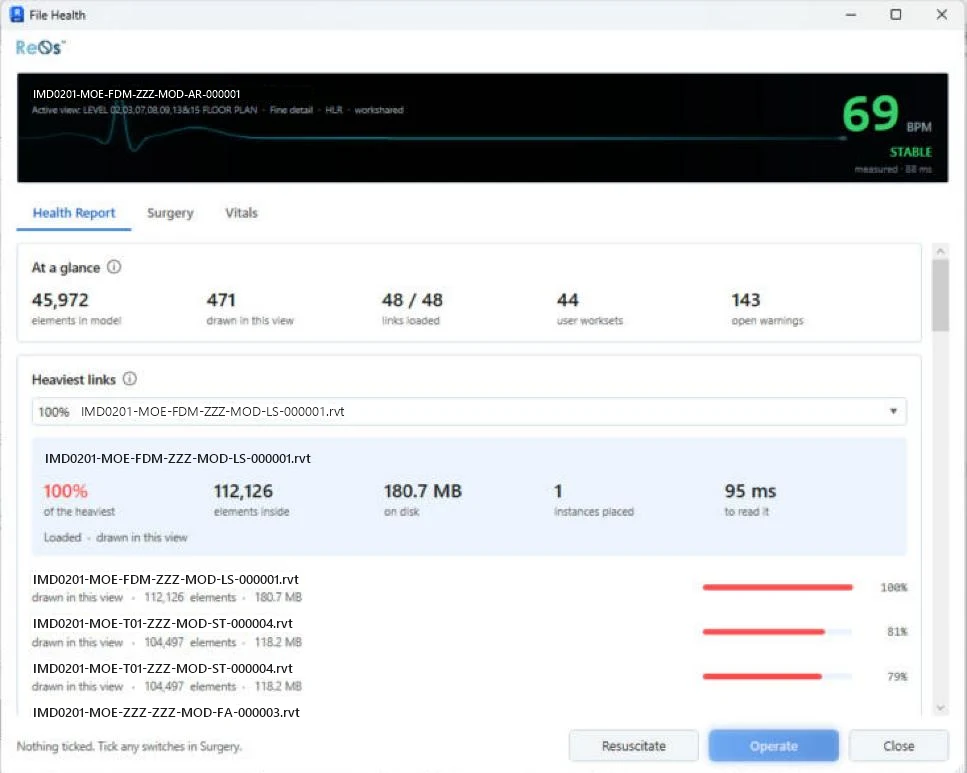
File Health and Heart Rate show what weighs a model down, Life Jacket syncs and saves on a timer, and Diagnose finds a ReOs feature that slows Revit and pauses it.
Features
Most tools are free with a signed-in account. Pro unlocks the rest and removes the publishing limit.
Batch publishing to PDF, DWG, DXF, DGN, DWF, IFC, NWC and images. Pro adds Excel schedules, revision filters, pre-flight checks and office profiles.
Free · 200 files/month Pro · unlimited
Tag all categories in a view at once, elements in linked models included.
Pro
Twelve tools to align, distribute, arrange and untangle tags, and straighten leaders.
Free
Join, unjoin and set join order in the active view or a selection, with your own category rules.
Free
Copy elements from one model and paste them into another.
Pro
Build a ramp from lines you draw.
Pro
File Health, Heart Rate, Life Jacket (timed sync and save) and Diagnose, to keep big models fast.
Free
A local link that lets the AI assistant you use read the open project and stage edits for you to approve. It runs on your PC with no network port, and ReOs never calls an AI service itself.
Free
Filter a selection by category and exact type.
Free
Requirements
Revit 2026 is not supported yet. We will list it here when it is.
What's new
ReOs is not released yet. When the first public version is out, its notes will be here: new tools, improvements and fixes.
Pricing
Every paid plan starts with a free 30-day trial with all tools and no payment details. Cancel any time.
$0
The free tools, and SheetJet up to 200 files a month. Sign in with a free account.
$10 / month
Every tool, unlimited publishing, on up to 2 PCs.
$30 / year
Everything in Monthly, for the price of three months.
What users say
No reviews yet. Ratings and reviews open with the first public version of ReOs.
FAQ
Choose Monthly or Yearly on the pricing page. Payment runs on a secure hosted checkout (Lemon Squeezy) by card, Apple Pay, Google Pay or PayPal. Prices are in US dollars.
The trial lasts 30 days with every tool unlocked and no payment details. There is one trial per account and per PC.
One account works on up to 2 PCs. You can move a seat to a new PC once every 30 days, from inside ReOs.
Yes. You need the internet to sign in. After that ReOs checks your licence every 4 hours, and keeps working for up to 7 days without a connection.
Yes. Ask within 14 days of your first Monthly payment, or within 30 days of your first Yearly payment, for a full refund. The refund policy has the details.
Only what the licence needs: your account e-mail, a device id and key, one-way hashes of a few hardware identifiers, your PC name and Windows user name, the ReOs and Revit versions and, on the Free plan, how many files you published this month. ReOs also checks for updates when Revit starts, and fetches an exchange rate and your country for the plan screen. It never sends your models, file names or project data. Error reports are off unless you turn them on.